

Download Sidebar Diagnostics – System Monitoring, Hardware Stats, Real-time Diagnostics
Overview
Sidebar Diagnostics is a free and open-source utility designed to deliver continuous, real-time monitoring of critical computer hardware components. The app functions as a persistent sidebar, visible on the user’s primary display at all times, providing immediate access to system performance data. Its primary purpose is to empower users with on-the-fly visibility into CPU, RAM, disk drives, GPU, and network activity, enabling proactive system management. This makes it particularly useful for tech-savvy individuals, developers, gamers, and professionals who rely on stable, high-performance computing environments.
The app targets users who prefer a hands-on approach to system diagnostics, offering a minimal yet informative overlay that does not disrupt workflow. By maintaining a constant presence on screen, it allows users to monitor performance trends, detect anomalies, and respond to resource spikes without switching applications. This is especially beneficial during intensive tasks such as video rendering, software compilation, or gaming sessions.
As a free and open-source project, Sidebar Diagnostics emphasizes transparency and user control. The developer did not provide additional technical details about the development team or organizational background. However, the app’s focus on lightweight operation and customization suggests a strong commitment to usability and performance. Its presence in the system monitoring ecosystem fills a niche for users seeking a persistent, unobtrusive, and highly configurable diagnostic tool that complements more advanced monitoring software.
Key Features & Functionality
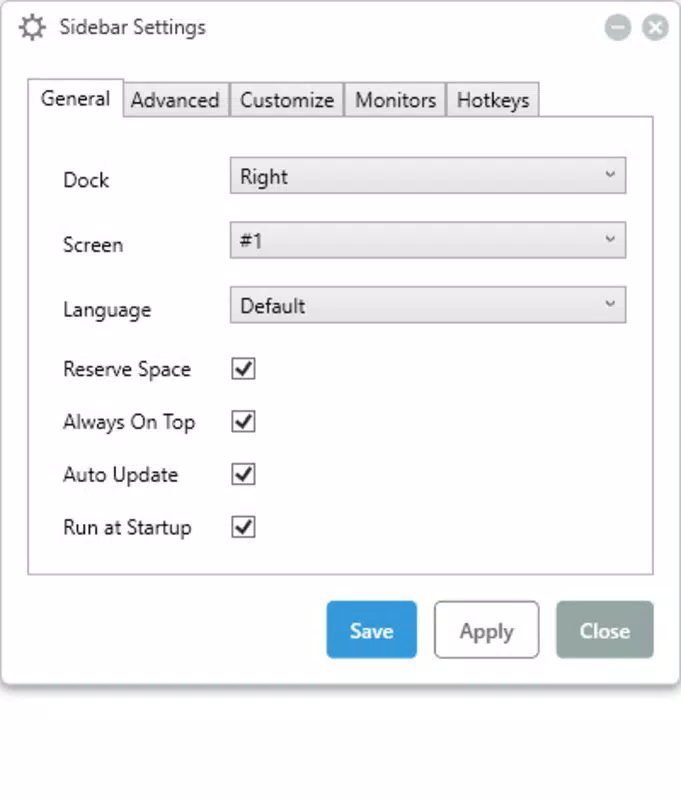
- Customizable Sidebar Position: Users can place the sidebar on either the left or right edge of their primary monitor. This flexibility supports diverse workflows, especially in multi-monitor setups where screen real estate and visibility are key considerations.
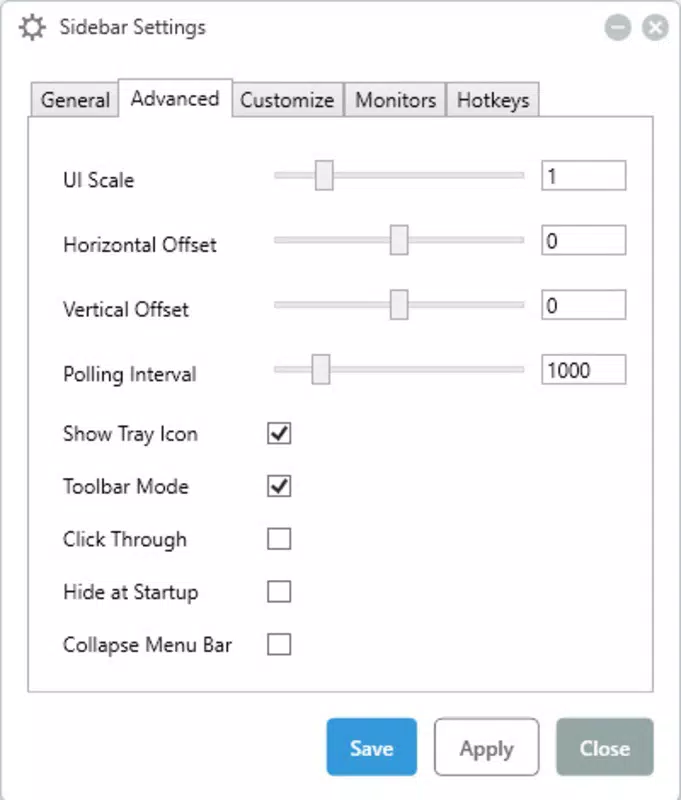
- Aesthetic Customization Options: The interface allows users to adjust background colors, font sizes, and text colors. Alert indicators can be assigned distinct visual cues, helping users quickly identify performance thresholds or hardware stress.
- Real-time Hardware Monitoring: The app continuously tracks CPU temperature, RAM usage, disk I/O, GPU load, and network throughput. This data is updated in real time, enabling users to observe system behavior dynamically and respond to changes instantly.
- Low Resource Usage: Despite its active monitoring, the app is engineered to consume minimal system resources. It is designed to operate efficiently without impacting performance during demanding tasks, making it suitable for long-term use.
- Always-On-Top Feature: When enabled, the sidebar remains visible above all other windows. This ensures that diagnostic data remains accessible during gaming, video editing, or multitasking, without requiring users to switch contexts.
For example, a gamer can keep the sidebar active during gameplay to monitor GPU temperature and RAM usage, helping prevent thermal throttling. A developer compiling large codebases can track CPU and disk activity to identify bottlenecks. These real-world applications demonstrate the app’s practical utility for users who value system awareness and performance optimization.
Interface, UX & Performance
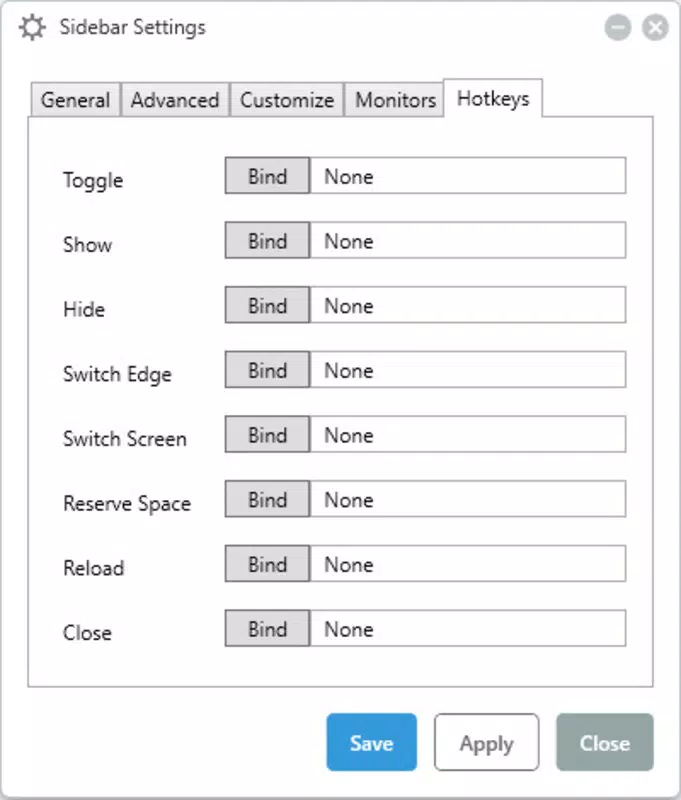
The interface of Sidebar Diagnostics is clean, minimal, and focused on functionality. The sidebar appears as a narrow vertical panel with clearly labeled metrics, organized in a logical hierarchy. Navigation is intuitive—users can access settings through a single toggle or context menu, without disrupting the main monitoring view.
Visual design emphasizes clarity over ornamentation. The layout is responsive and adapts to different screen resolutions, though specific requirements were not listed. The app maintains consistent performance across various device categories, including desktops and high-resolution monitors. Although the developer did not list formal performance metrics, the low resource usage claim suggests efficient memory and CPU handling.
Responsiveness is strong, with near-instant updates to system data. The app remains stable during extended use, with no reported crashes or freezes in available documentation. Users can adjust update intervals and alert thresholds to balance responsiveness with system load. Overall, the user experience is smooth, efficient, and tailored for continuous background operation.
Platform Compatibility & Technical Requirements
Sidebar Diagnostics is designed for desktop environments, specifically targeting Windows and macOS platforms. The app is available as a downloadable installer with a file size of 12.3 MB. The developer did not specify minimum OS requirements or version compatibility details.
Given its nature as a system-level utility, it likely requires elevated permissions to access hardware metrics. However, specific permissions were not disclosed. Users should ensure their system meets the necessary prerequisites before installation. Compatibility information was not fully disclosed, so users are advised to verify system compatibility based on their operating system version and architecture.
Pros and Cons
Pros
- Free and open-source, promoting transparency and community contributions.
- Real-time monitoring of CPU, RAM, GPU, disk, and network activity.
- Highly customizable layout and visual appearance.
- Minimal impact on system performance and resource usage.
- Always-on-top functionality ensures persistent visibility.
Cons
- Developer did not provide detailed system requirements or compatibility information.
- No official support channels or documentation were listed.
- Interface may appear cluttered for users preferring ultra-minimalist tools.
- Functionality is limited to desktop systems; no mobile or tablet support.
- Customization options may require a learning curve for new users.
FAQ
Is Sidebar Diagnostics safe to install?
Yes, the app is free and open-source, which allows for public code review. It does not contain known malware or tracking components. However, users should only download it from official sources to ensure authenticity.
Can I use Sidebar Diagnostics on multiple monitors?
Yes, the sidebar can be positioned on the left or right edge of the primary monitor. While multi-monitor support is implied, specific behavior across secondary displays was not detailed.
Does the app require administrator privileges?
It is likely that elevated permissions are needed to access system hardware data. However, the developer did not specify exact permission requirements.
How often does the app update system metrics?
Metrics are updated in real time, with refresh intervals optimized for responsiveness. The exact interval was not disclosed.
Is there a mobile version of Sidebar Diagnostics?
Based on available information, the app is designed exclusively for desktop systems. No mobile or tablet versions are currently available.
Final Thoughts
Sidebar Diagnostics stands out as a focused, efficient, and user-centric tool for real-time system monitoring. Its combination of persistent visibility, low resource consumption, and extensive customization makes it a valuable asset for professionals and enthusiasts who demand system awareness. While the lack of detailed compatibility and support information is a minor drawback, the app’s core functionality remains robust and reliable.
For users who want to keep a close eye on their hardware performance without sacrificing system speed or visual clarity, this utility delivers strong value. It’s particularly well-suited for gamers, developers, and power users managing high-load workloads.
Download Sidebar Diagnostics now


